Resources
Everything for running the copy room.
Step-by-step guides, plain answers and reference pages for teachers, copy room staff, administrators, the business office and IT. Search them all, or pick your desk.
32 resources (for IT).
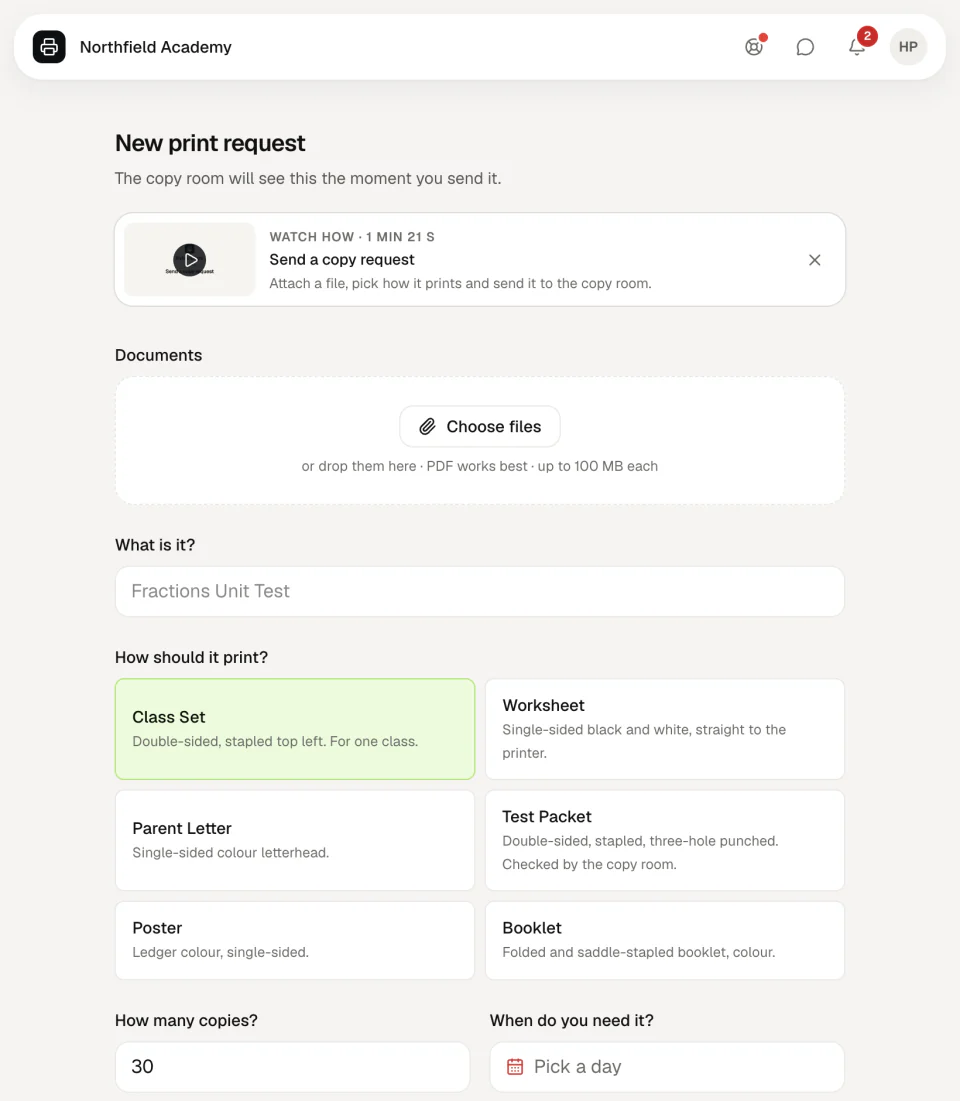 ArticleHow to print from a school iPad: AirPrint, the network, and sending work to the copy roomHow a school iPad prints with AirPrint, why it cannot find the printer across networks, the faults that come up most, and how to send work to the copy room.7 min read
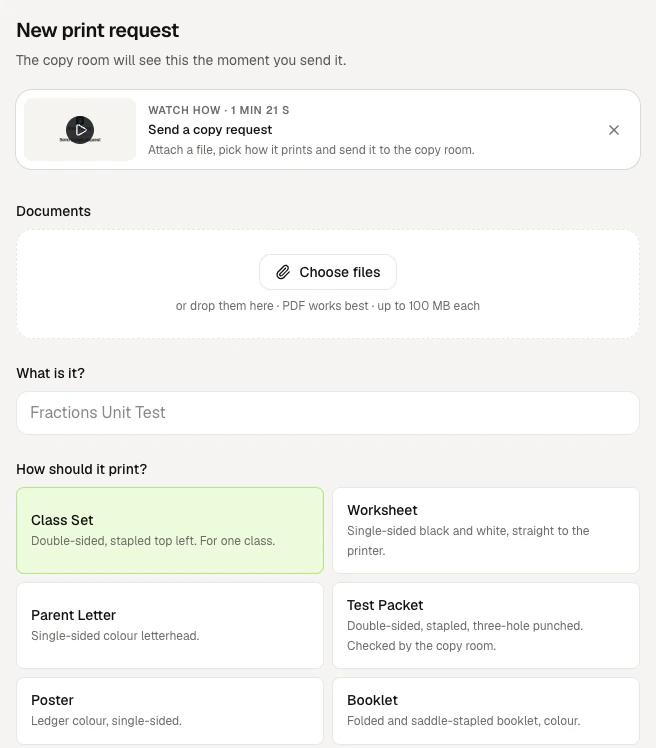 ArticleChromebook printing at school: how teachers print to the copier without a print serverWhy Chromebooks print differently at school, the three ways schools set it up, common faults, and how KyberCopy sends a Chromebook's job to the copy room.7 min read
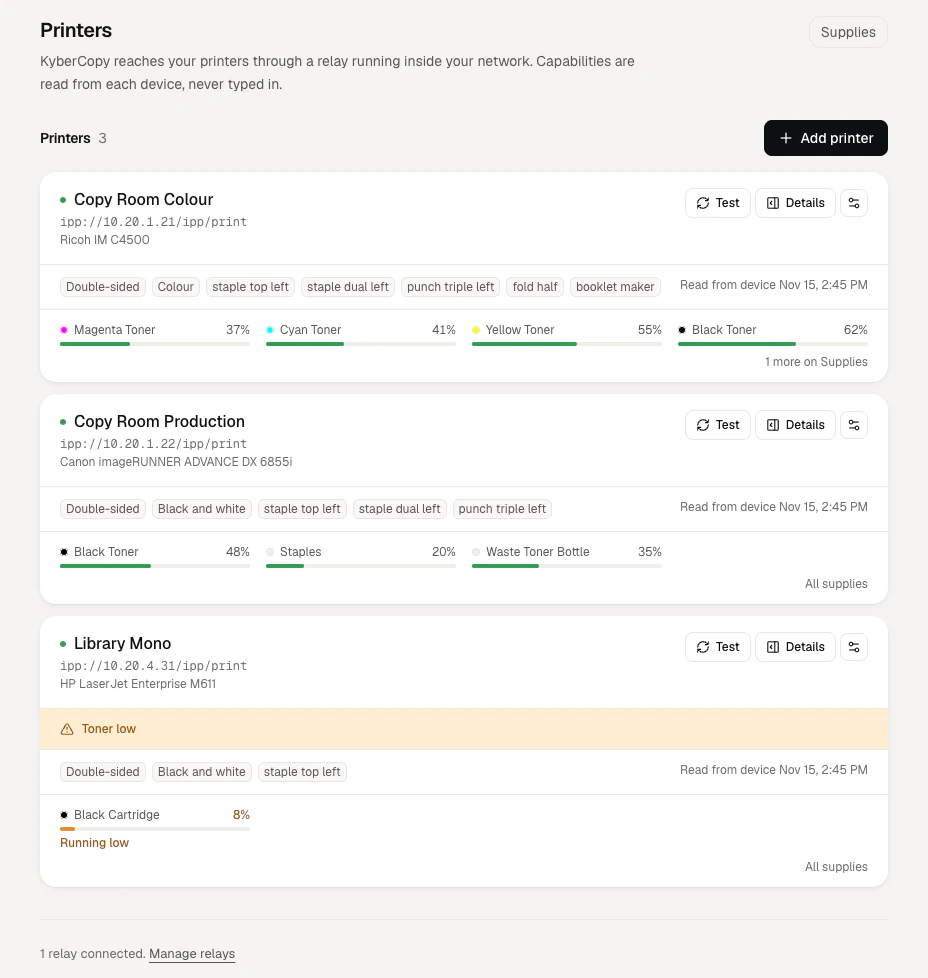 ArticleIPP vs TCP/IP printing: which one should a school printer use?What IPP and TCP/IP (port 9100) printing each do, which ports they use, what each tells you back, and why KyberCopy reads over IPP and prints over port 9100.9 min read
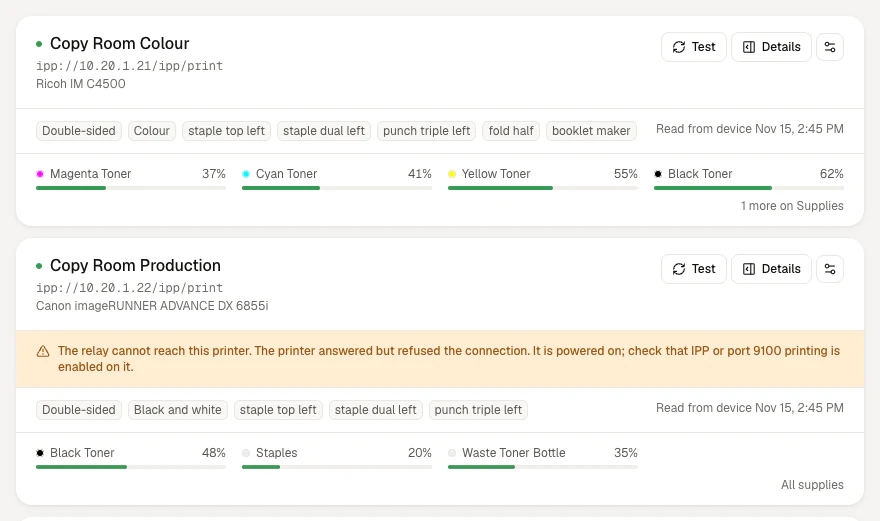 ArticleNetwork printer offline? How a school finds the cause and fixes itWhy a school network printer shows offline when it is switched on, how to find which of five causes it is, and how to stop the address changing again.8 min read
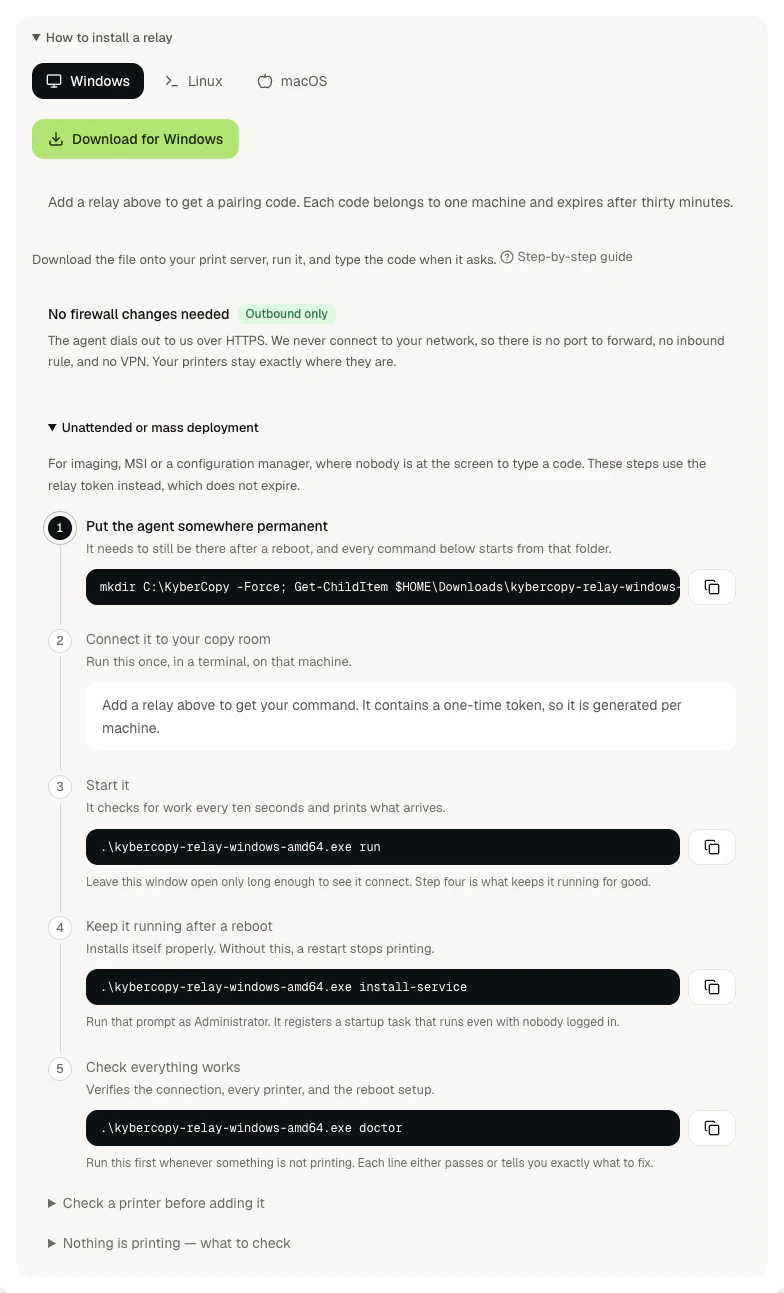 GuideConnect your printers with the relayInstall the outbound-only relay on a school computer, pair it, keep it running after a reboot, then add each printer and the paper in its trays.6 steps
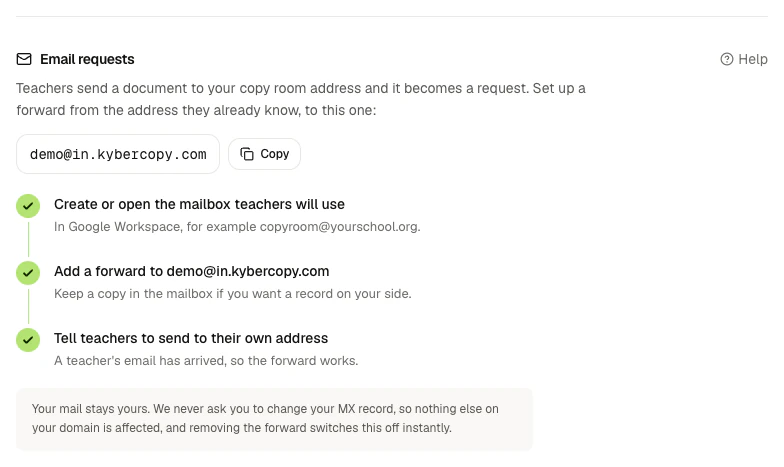 GuideSet up email print requestsLet teachers email documents to the copy room mailbox they already use: turn on email intake, add one forward, and check the first request arrives.5 steps
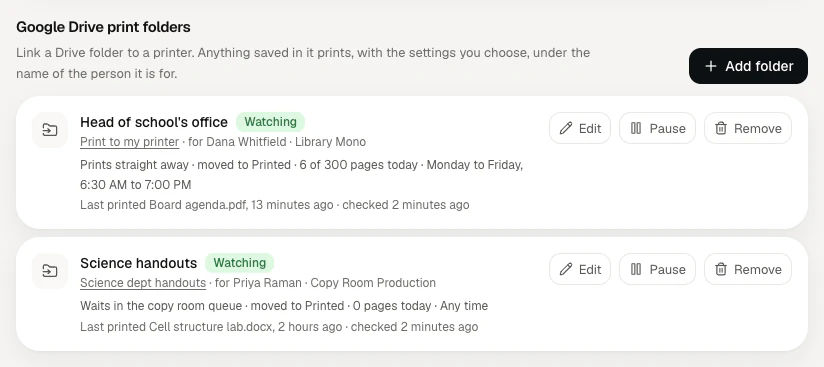 GuidePrint from a Google Drive folderLink a Google Drive folder to a school printer so anything saved in it prints by itself: share it, Verify, choose the settings and hours, then watch it.7 steps
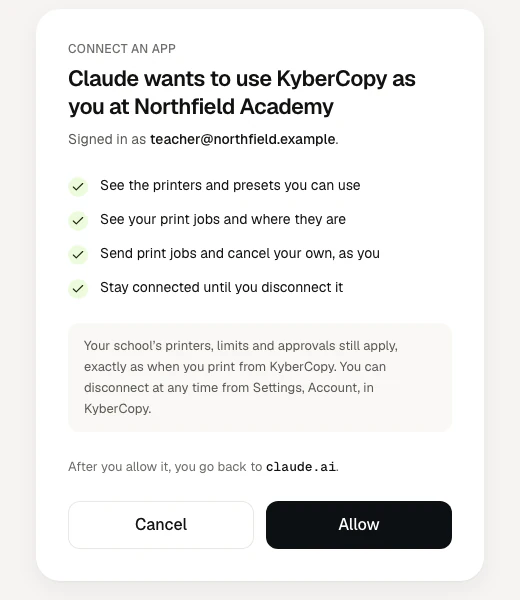 GuidePrint from ClaudeAdd KyberCopy to Claude, connect it as yourself, then ask Claude to print, preview, check or cancel jobs at your school, with its limits and approvals.7 steps
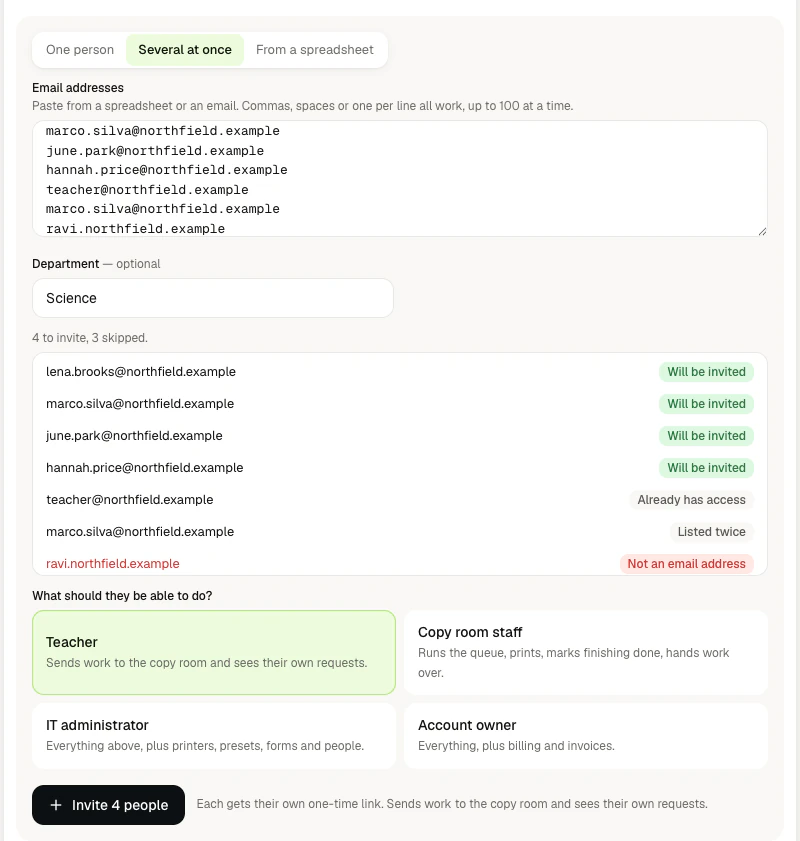 GuideInvite your staff and give each the right roleGet school staff into KyberCopy: invite one person, paste a list or import a spreadsheet, pick each role, follow up invites and let Google accounts join.7 steps
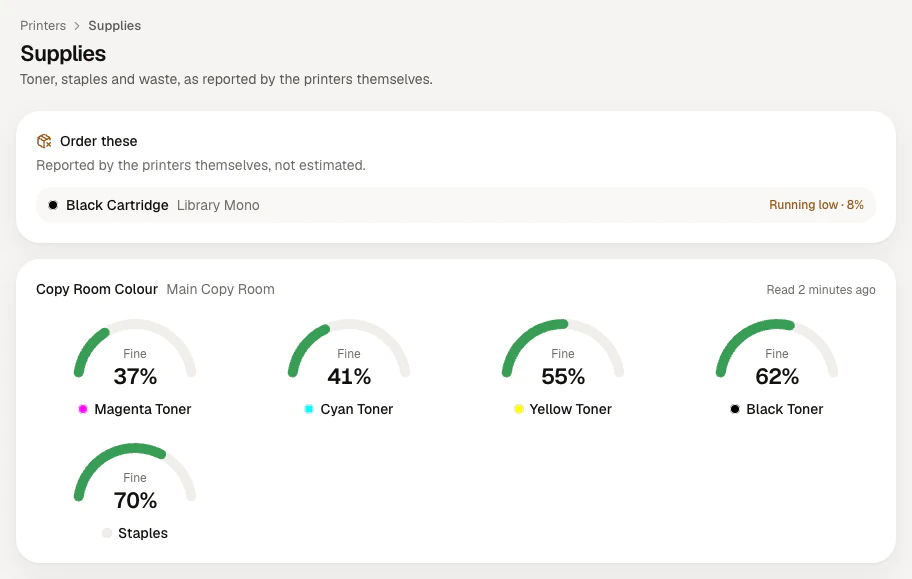 GuideCheck printer toner levels for every copier on one pageHow a school copy room checks printer toner levels on one page: what each copier reports, when low means order, waste bottles, and printers that stay silent.8 steps
- GuideConnecting your printers with the relay agentInstalling the outbound-only relay and checking it can reach each printer.Help centre (help centre, opens in a new tab)
- GuidePrinter capabilities, supplies and silent substitutionsAdding a printer, what it reports about itself and paper levels.Help centre (help centre, opens in a new tab)
- GuideSetting up email intakeForwarding the copy room mailbox, reversible in one click.Help centre (help centre, opens in a new tab)
- GuideSecurity and network postureThe questions a school IT director asks before approving KyberCopy.Help centre (help centre, opens in a new tab)
- GuideMy printer shows offline or unhealthyEach message on the Printers page and what to check for it.Help centre (help centre, opens in a new tab)
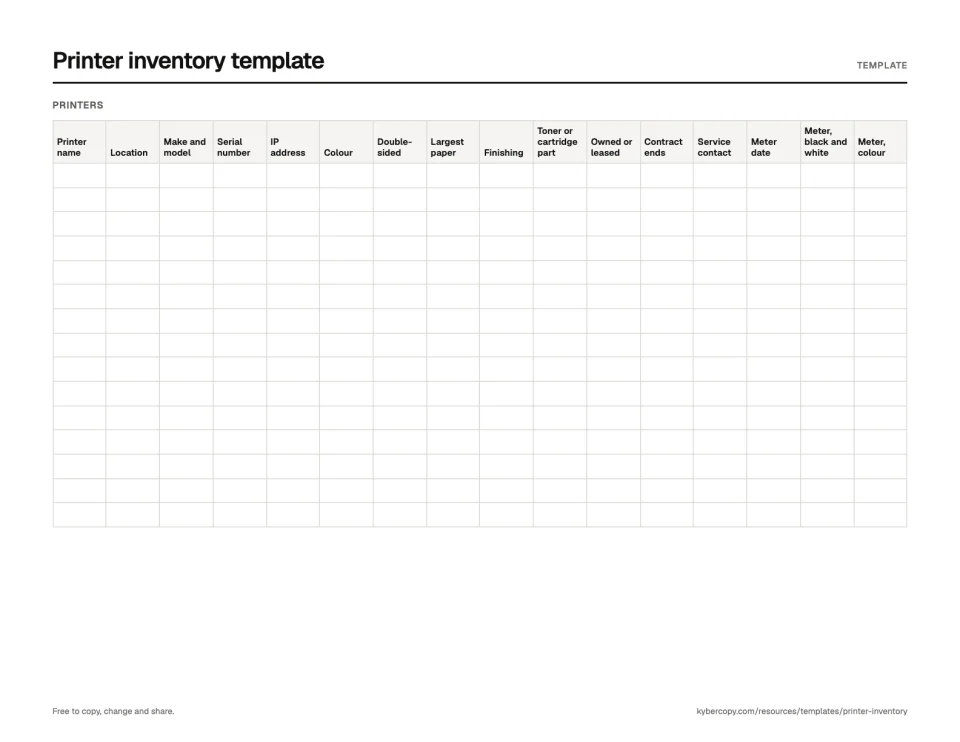 TemplatePrinter inventory templateA free printer inventory template for schools: location, model, serial, IP address, what each machine can do, supplies, lease end date and meter readings.Template · CSV, PDF
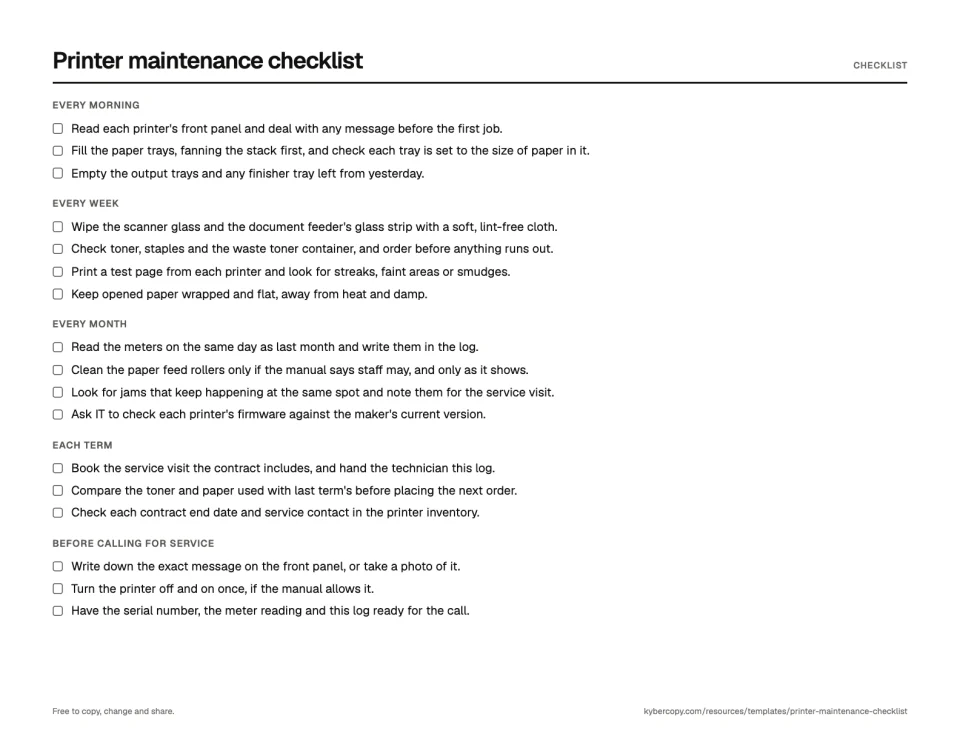 TemplatePrinter maintenance checklistA free printer maintenance checklist for school copiers: daily, weekly, monthly and termly checks, what to note before a service call, and a maintenance log.Checklist · PDF, CSV
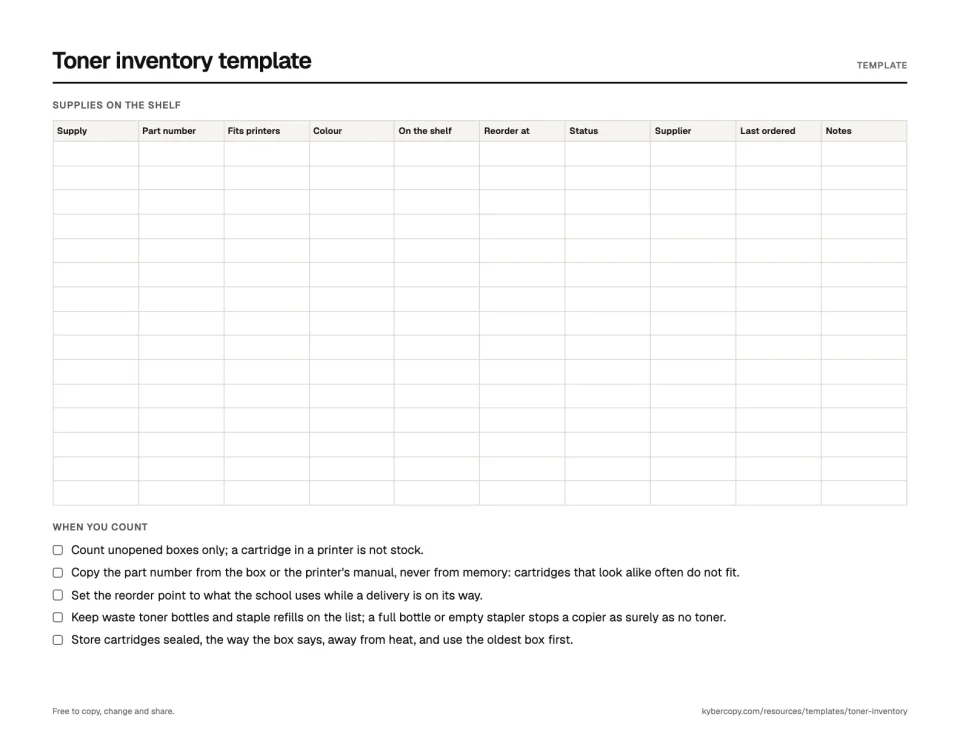 TemplateToner inventory templateA free toner inventory template for school copy rooms: each cartridge, staple and waste bottle on the shelf, its part number, reorder point and supplier.Template · CSV, PDF
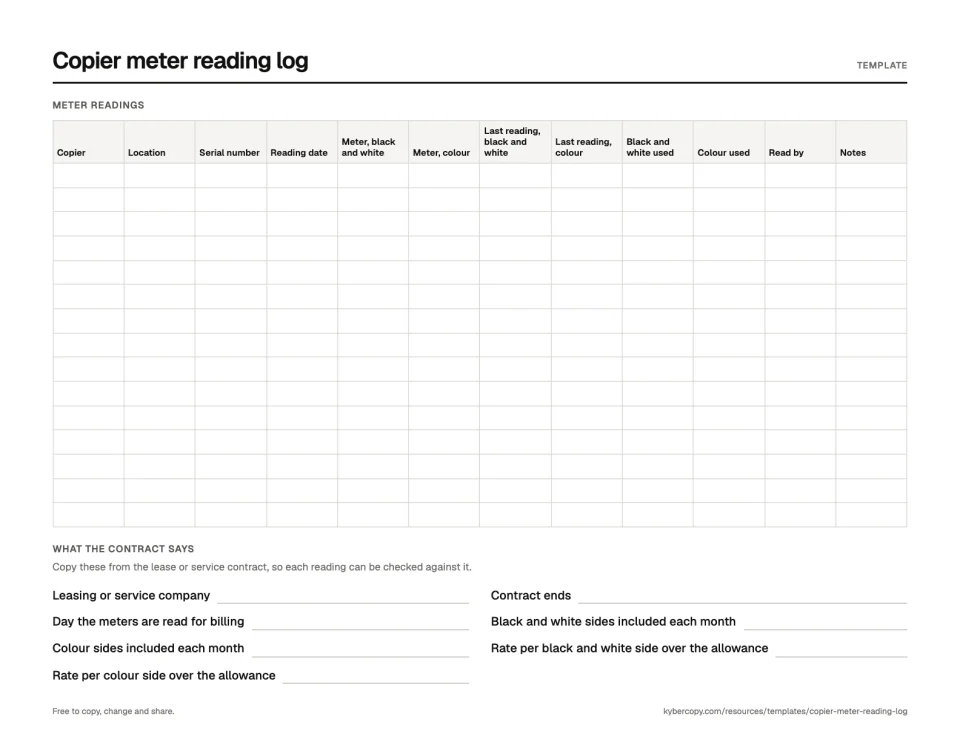 TemplateCopier meter reading logA free copier meter reading log for schools: each copier's black and white and colour meters on the same day each month, and the sides used worked out.Template · CSV, PDF
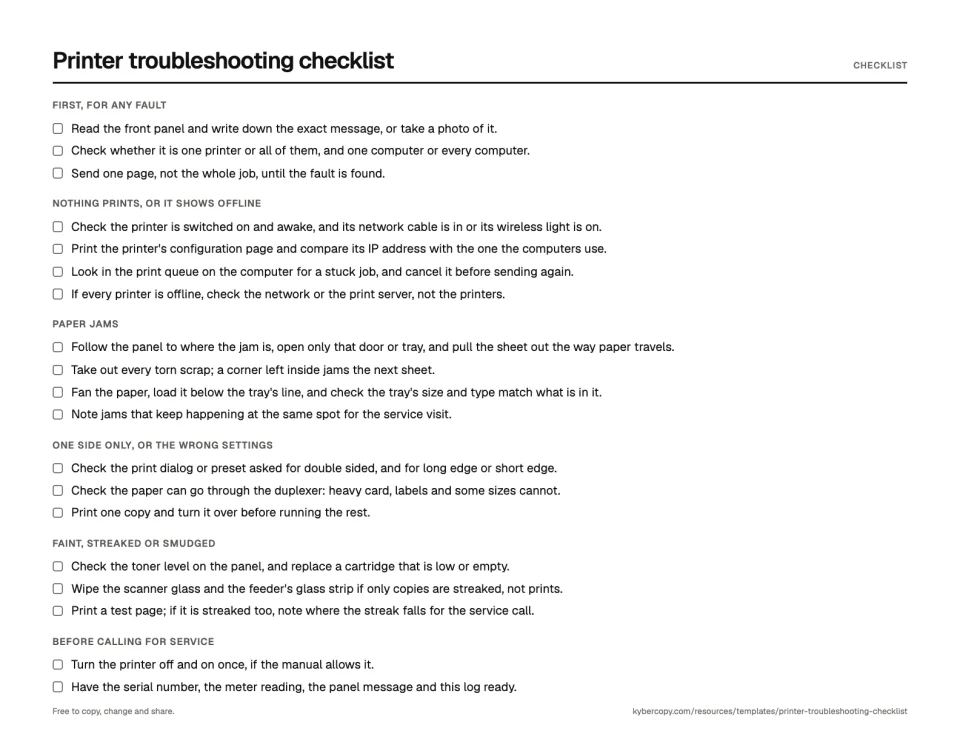 TemplatePrinter troubleshooting checklistA free printer troubleshooting checklist for school copy rooms: what to check, in order, when a copier will not print, jams, drops double sided or prints faint.Checklist · PDF, CSV
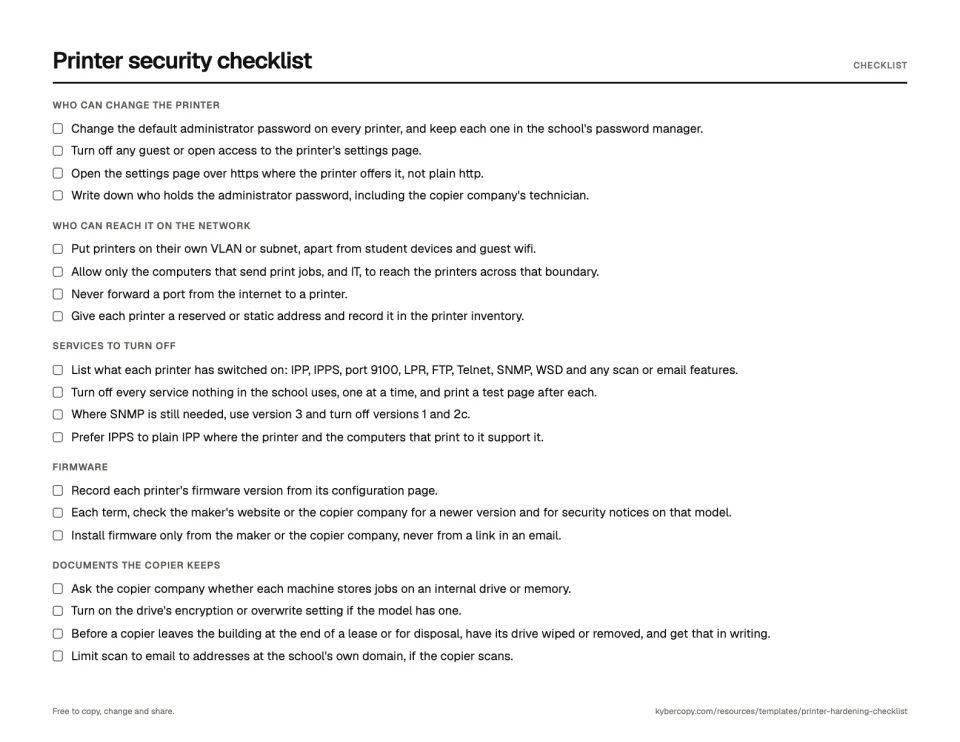 TemplatePrinter security checklistA free printer hardening checklist for schools: admin passwords, VLANs, services to turn off, firmware, stored data on copiers, and a log for every printer.Checklist · PDF, CSV
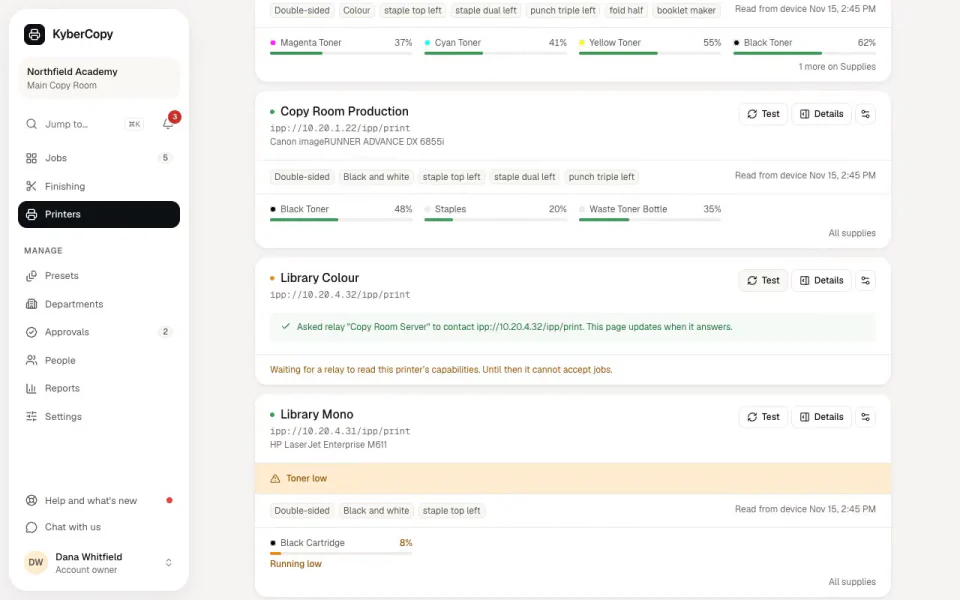 VideoAdd a printer and test itThe account owner adds a printer by its IP address alone, sees it wait for the relay to read what it can do, and presses Test to ask the relay to contact it.Video · 0:16
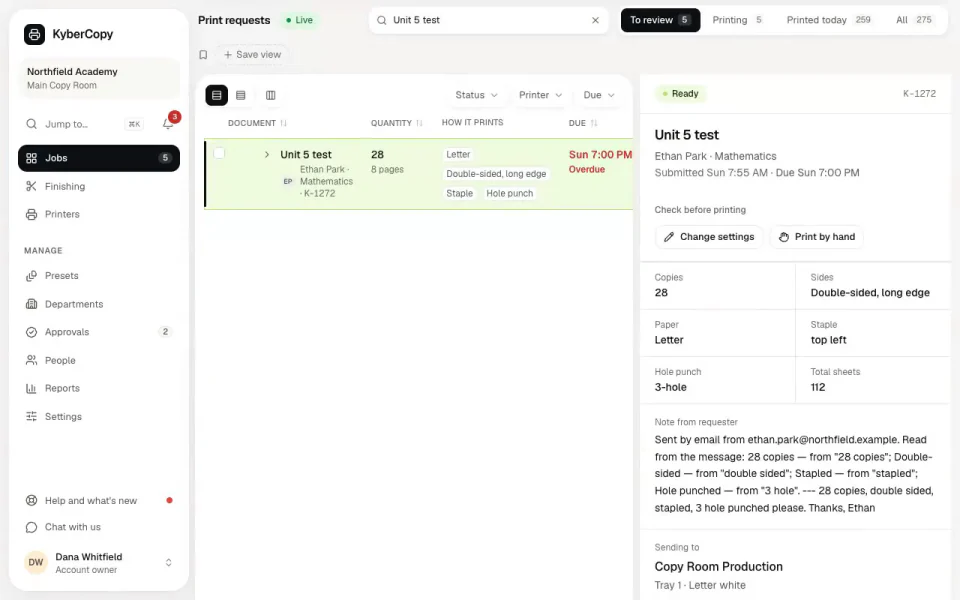 VideoCheck that email requests arriveThe account owner opens Email intake, sees the forwarding address, who may send and each recent email accepted or refused, then opens one emailed request.Video · 0:22
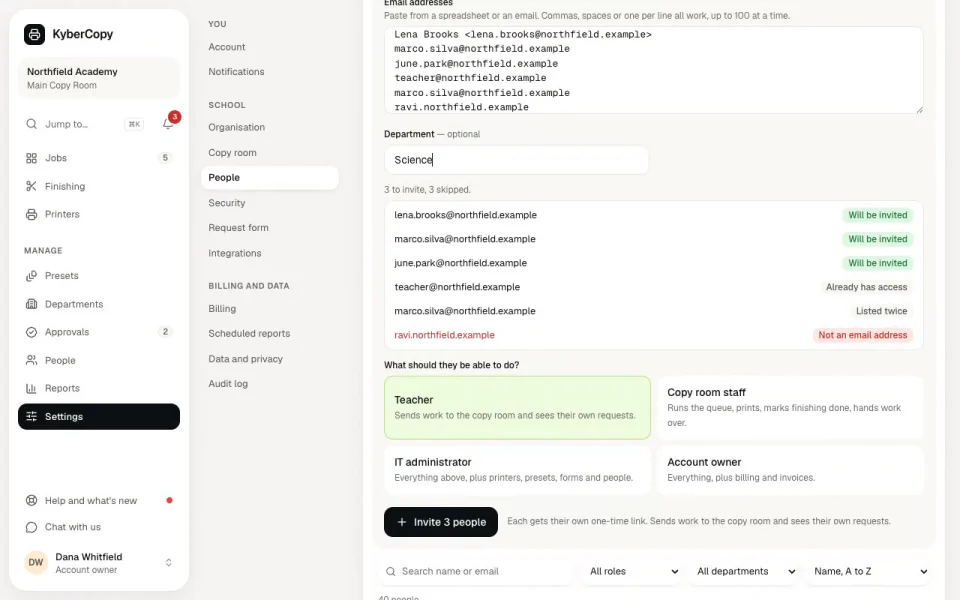 VideoInvite several staff at once and follow up the invitationsAn account owner pastes a list of addresses into Several at once, reads which will be invited and which are skipped and why, invites three teachers into Science, then finds them under Invited, not yet accepted and withdraws one.Video · 0:29
- OverviewCloud printing that never opens a portConnect school copiers to KyberCopy with a small agent that only calls out over HTTPS: no inbound ports, no VPN, printers read over IPP, Google sign-in.For IT
- OverviewClaude prints. Your school sets the rulesAdd KyberCopy to Claude once. Each person connects as themselves, asks Claude to print, preview or cancel, and the school's limits and approvals still apply.Claude
- OverviewSave it in the folder. It printsLink a Google Drive folder to a school printer. Files saved there print on their own, under one person's name, within the hours, caps and budgets you set.Google Drive
- ReferenceSecurityThe relay, outbound only, how each school's data is kept apart, and what is not done yet.
- ReferenceAPI referenceRead a school's jobs from your own sheet or dashboard with a read-only key.
- ReferencePrinting terms glossaryDuplex, saddle stitch, IPP, port 9100, chargeback and more, in plain words.
- ReferenceKyberCopy and PaperCutWhich job each one does, the shared comparison rows, and the one row PaperCut has that KyberCopy does not.
- ReferenceChangelogWhat changed for teachers, the copy room, administrators and the business office.
Rather see it than read about it?
On the demo call we set up the demo school with your printers' names and walk through the guide you came here for, as a teacher, the copy room and the business office.
Book a demo