Resources
Everything for running the copy room.
Step-by-step guides, plain answers and reference pages for teachers, copy room staff, administrators, the business office and IT. Search them all, or pick your desk.
28 resources (for business office).
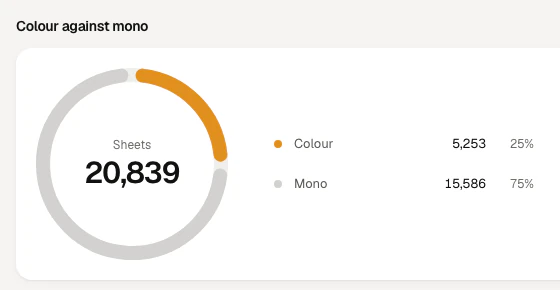 ArticleColour vs black and white printing: what the gap costs a school, and how to keep colour for what needs itWhy colour printing costs more than black and white, how to work out the gap from your own invoices, and how a school keeps colour for the jobs that need it.8 min read
 ArticleHow to reduce paper waste in schools: where the copy room's paper goes and what to changeWhere a school's paper really goes, the copy room habits that waste it, ten changes that cut it without a fight, and how to measure whether they worked.7 min read
 ArticleCopier lease vs buy: how a school decides, and what to check in the contractWhether a school should lease or buy its copiers, what a lease and service contract charge for, the clauses to read, and the usage to bring to the decision.7 min read
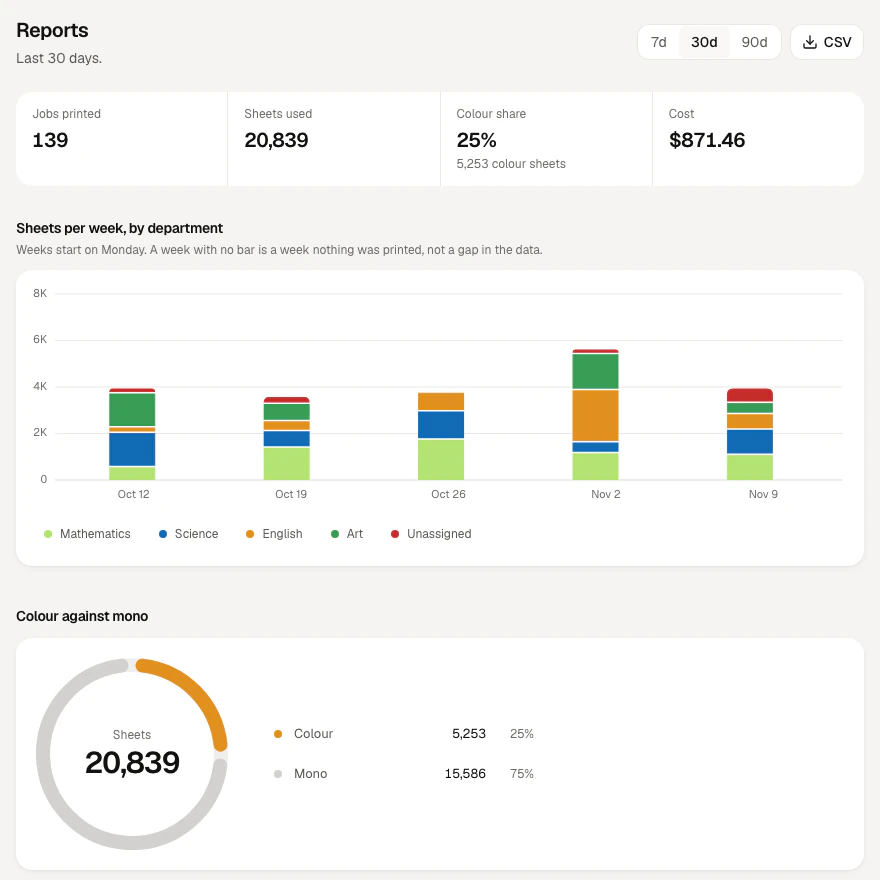
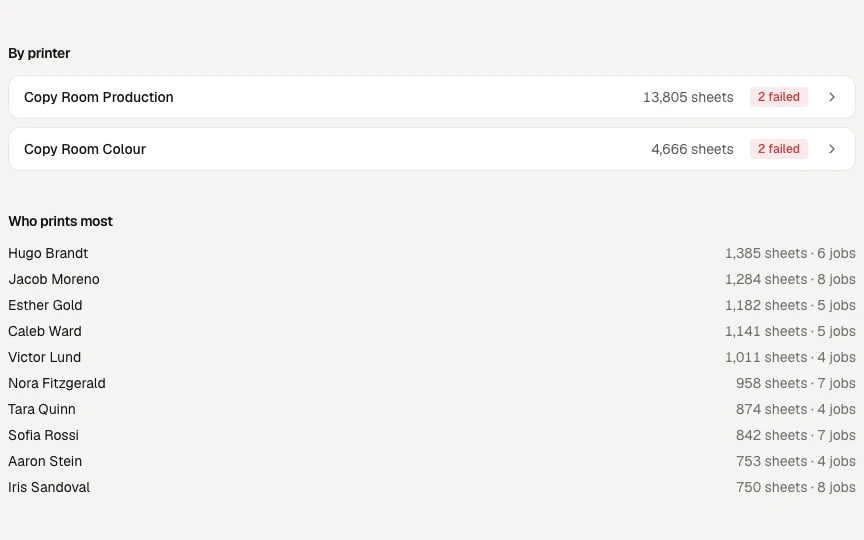 ArticlePrinter usage report: what a school should track and how to read itWhat a school printer usage report should show, where to get one, how to read it by department, printer and person, and the mistakes that make it wrong.8 min read
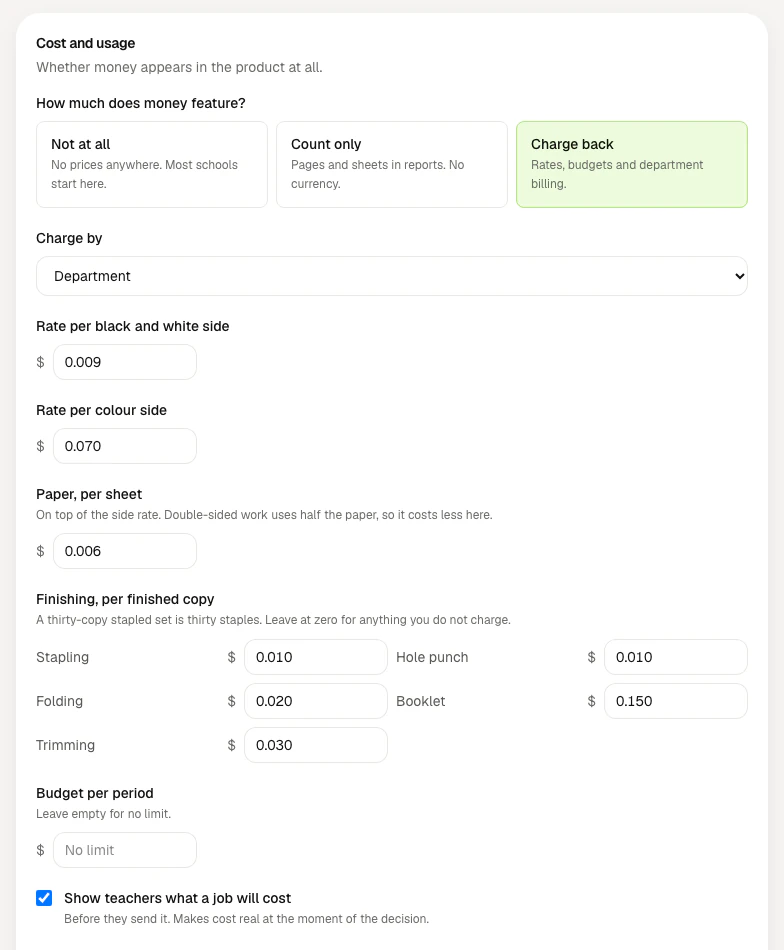 ArticlePrinting cost per page: how a school works it out and bills it backHow to calculate printing cost per page for black and white and colour, why sides and sheets are priced apart, and how a school bills it to departments.7 min read
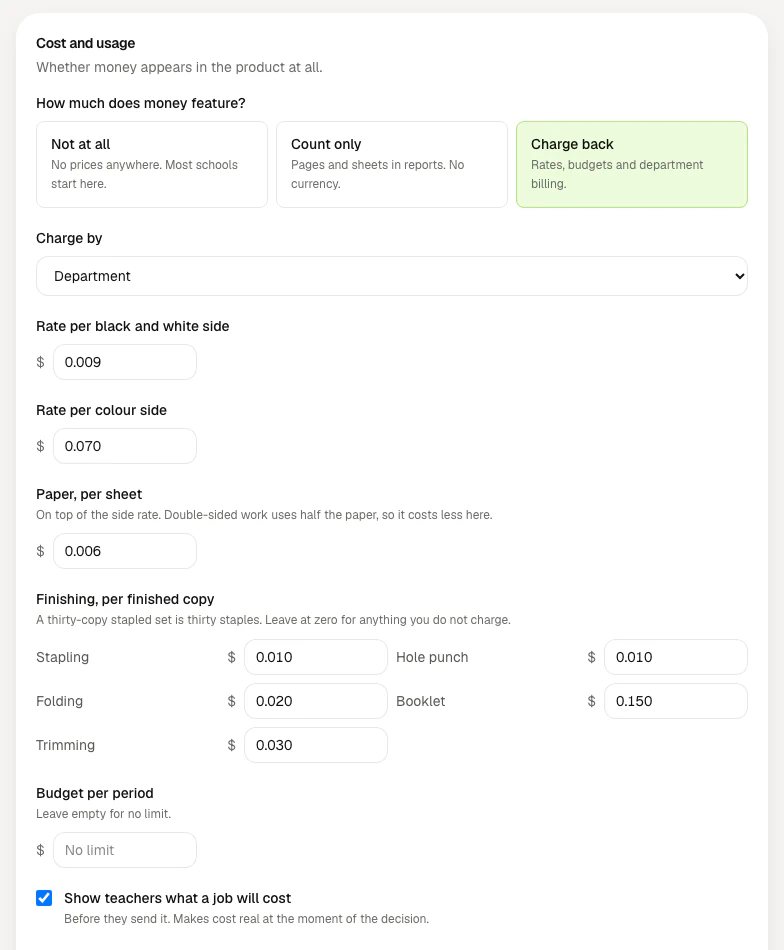 GuideSet department budgets and approvalsTurn on charge back with your own rates, give each department a budget and a budget holder, choose which requests wait for approval, and read the alerts.5 steps
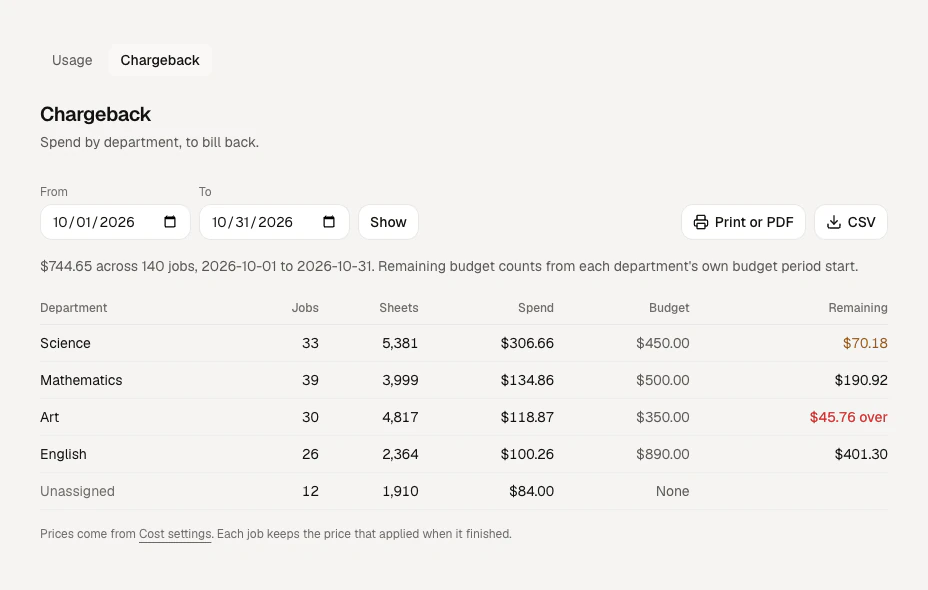 GuideBill printing back to departments each monthRead a month of copy room spend by department, clear the Unassigned row, file it as a PDF or spreadsheet, and have it emailed to the business office on the 1st.6 steps
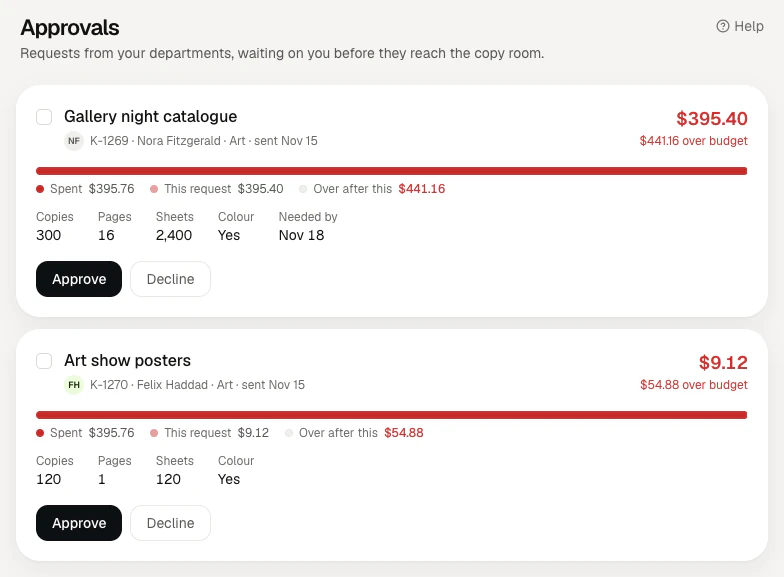 GuideApprove or decline your department's print requestsFor a department's budget holder: the Approval needed email, reading cost against budget, approving several at once, and declining with a reason.7 steps
- GuideApprovals and budgetsCopy room review, department budgets and budget holder approval.Help centre (help centre, opens in a new tab)
- GuideReportsUsage windows, the CSV download and scheduled reports by email.Help centre (help centre, opens in a new tab)
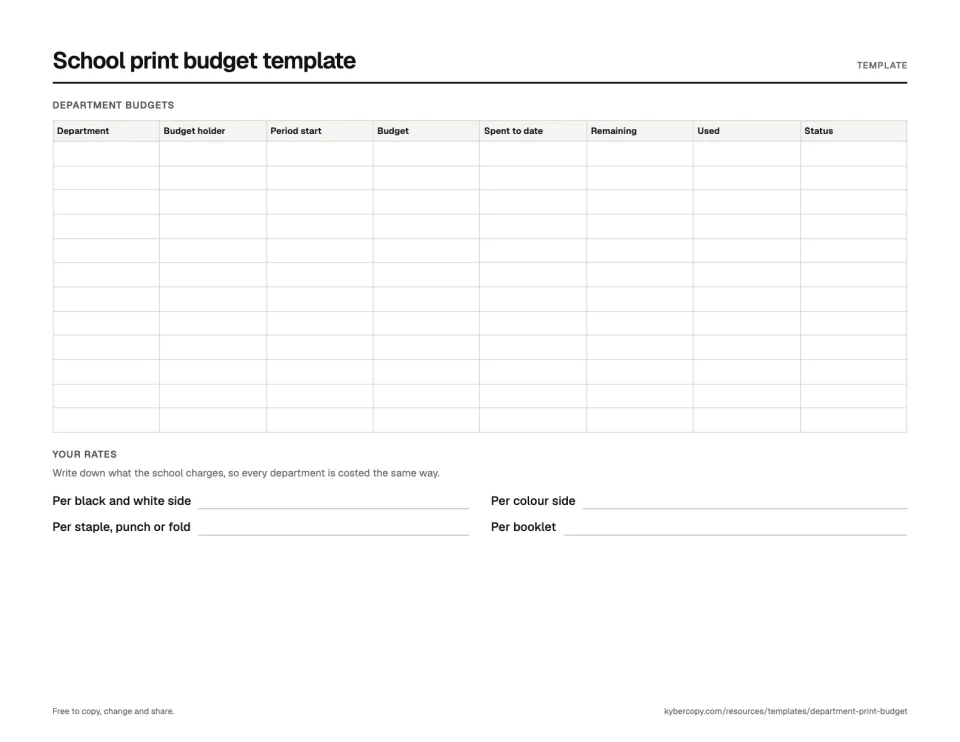 TemplateSchool print budget templateA free school print budget template: one row per department with its budget holder, budget and spending, and what is left and the share used worked out.Template · CSV, PDF
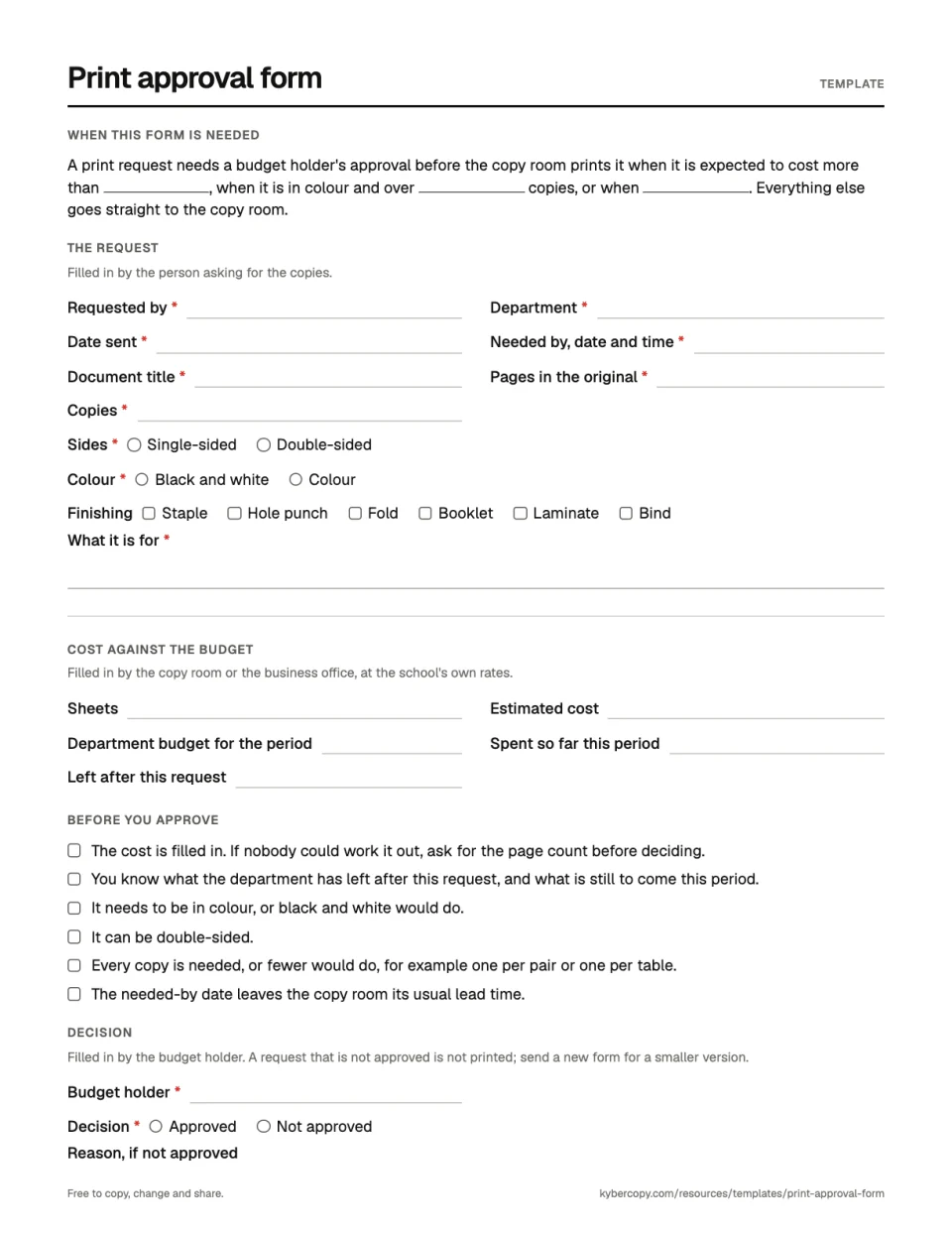 TemplatePrint approval formA free print approval form for schools: the request, its cost against the department's budget, checks before approving, and the budget holder's decision.Template · PDF, CSV
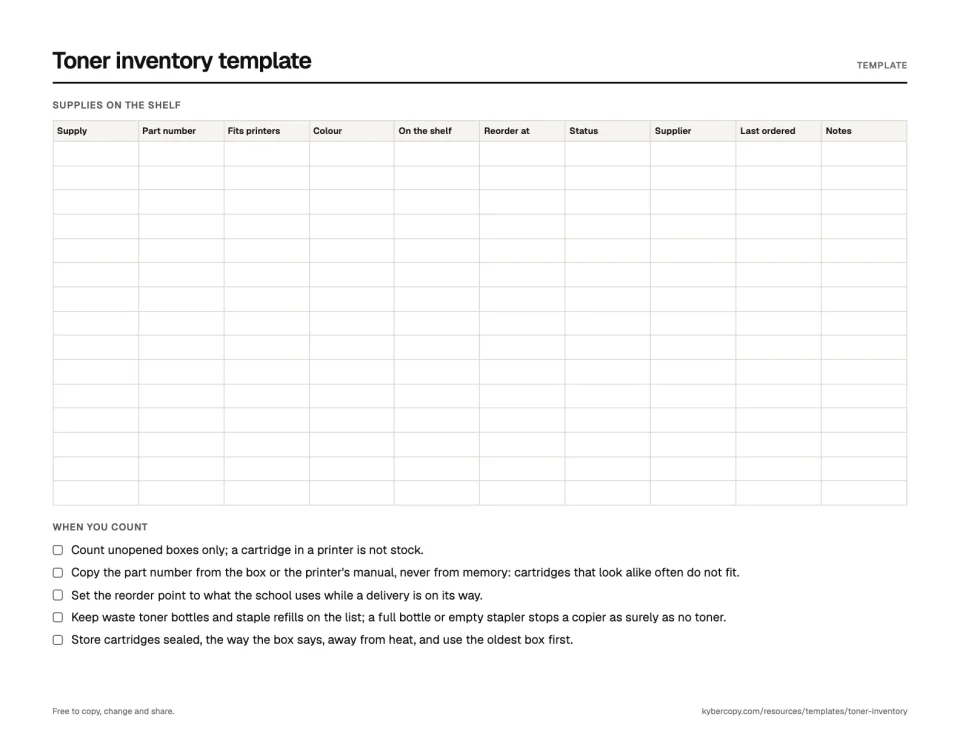 TemplateToner inventory templateA free toner inventory template for school copy rooms: each cartridge, staple and waste bottle on the shelf, its part number, reorder point and supplier.Template · CSV, PDF
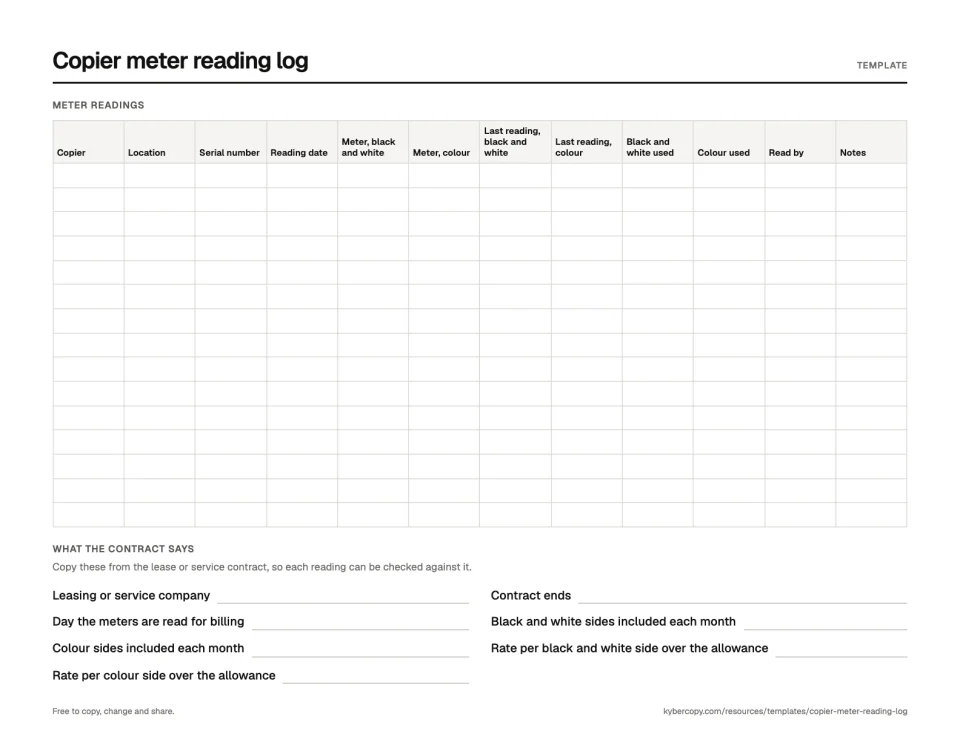 TemplateCopier meter reading logA free copier meter reading log for schools: each copier's black and white and colour meters on the same day each month, and the sides used worked out.Template · CSV, PDF
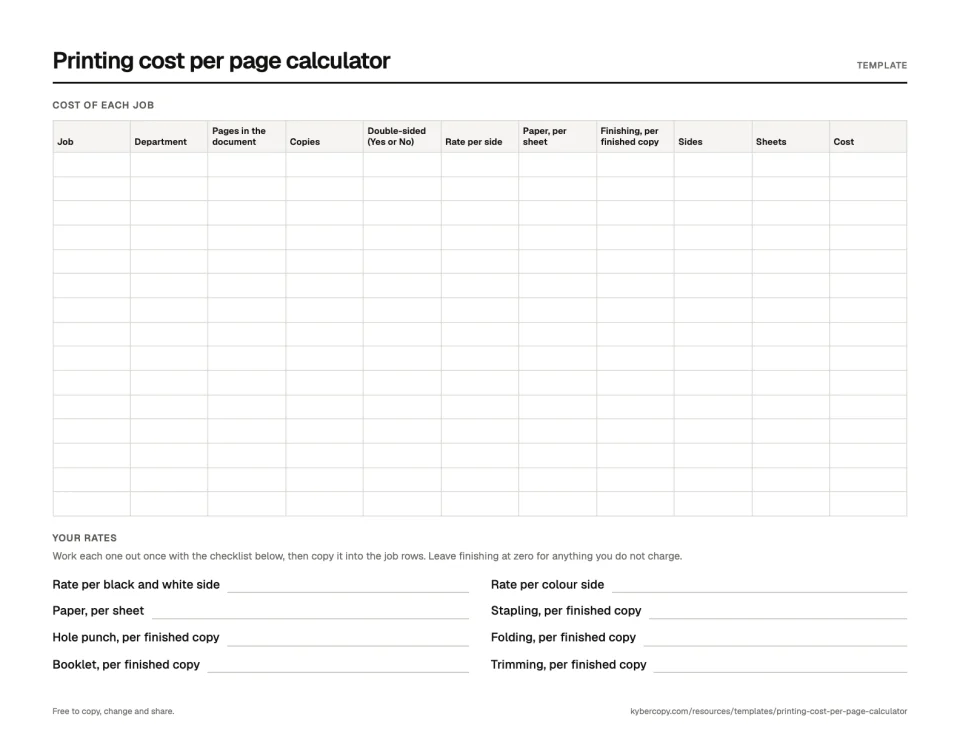 TemplatePrinting cost per page calculatorA free printing cost per page calculator for schools: your rates per side, paper per sheet and finishing per copy in, and what each job costs worked out.Template · CSV, PDF
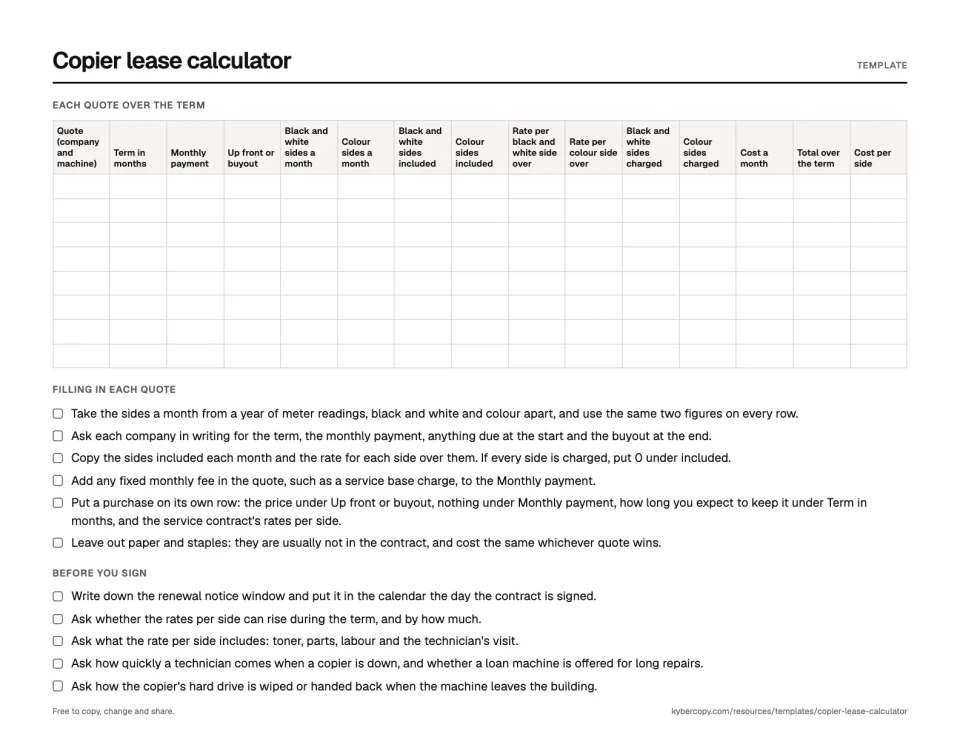 TemplateCopier lease calculatorA free copier lease calculator for schools: compare lease and purchase quotes on the total over the term, at your own monthly volume, and the cost per side.Template · CSV, PDF
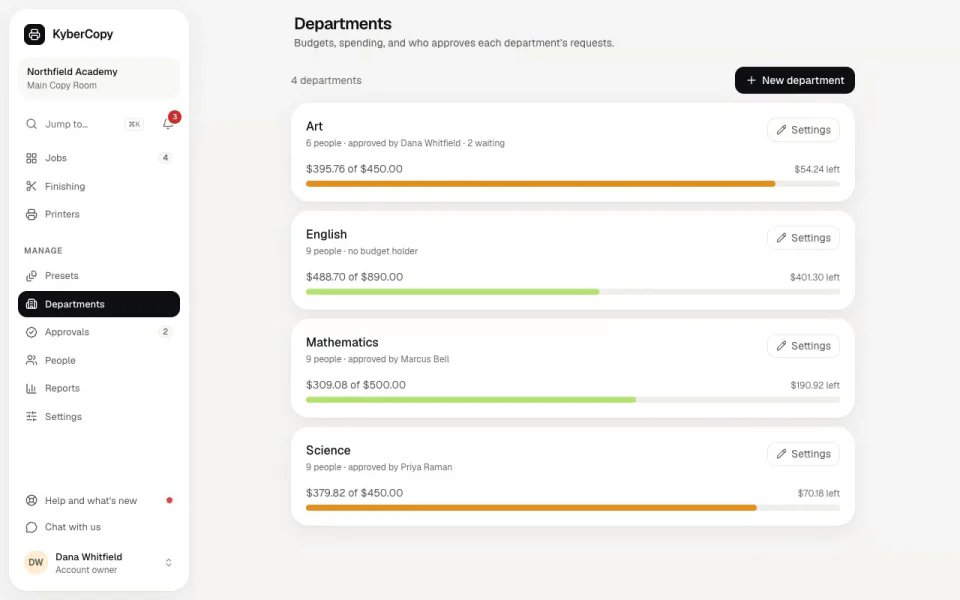 VideoSet a department budgetThe account owner opens the Art department's settings, raises its budget for the period, and once it is stored the bar changes from over budget to past 80 percent.Video · 0:09
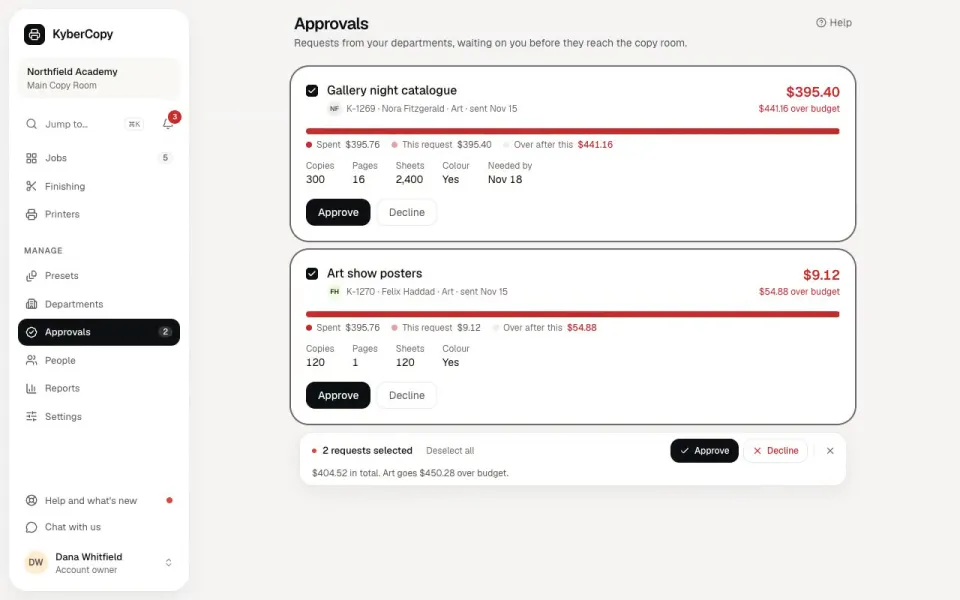 VideoApprove or decline a department's print requestsArt's budget holder in the demo school ticks two held requests to see what they cost together, approves the posters, declines the catalogue with a reason, and reads Decided recently.Video · 0:23
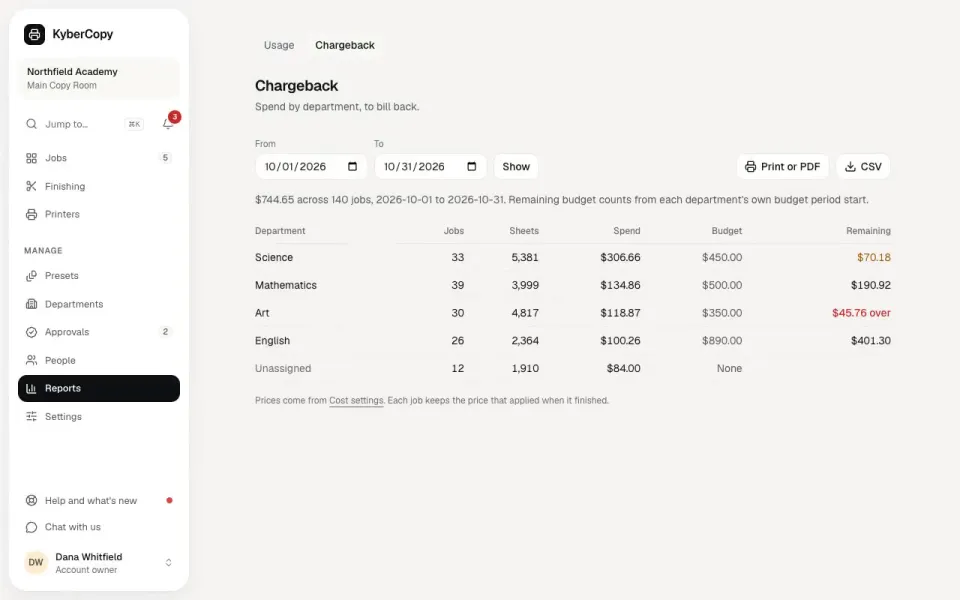 VideoBill a month of printing back to departmentsThe account owner opens the Chargeback tab on Reports, picks October, reads each department's spend against what is left of its budget, and opens the printable chargeback.Video · 0:21
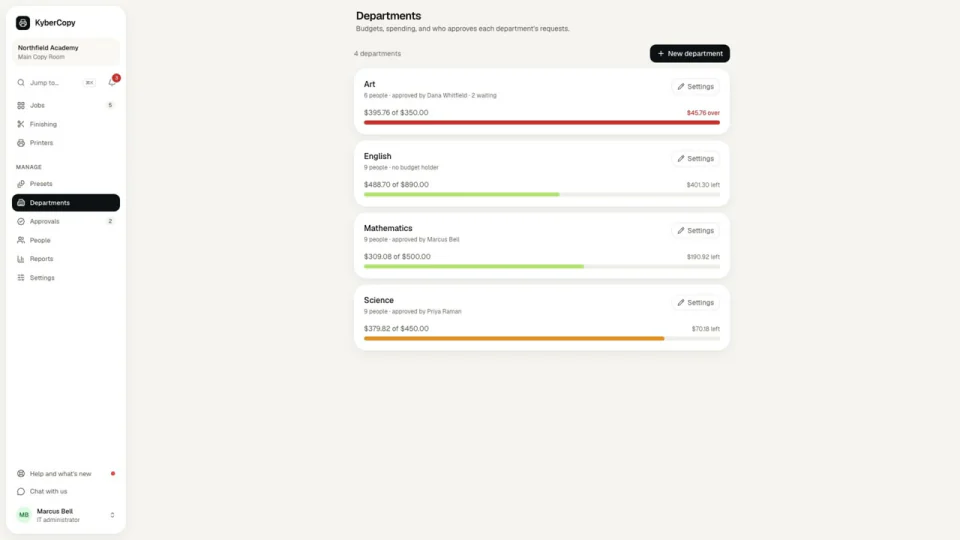 VideoDepartment budgets and approvalsSet a budget holder and a limit, then approve or decline what is over it.Narrated video · 2:13
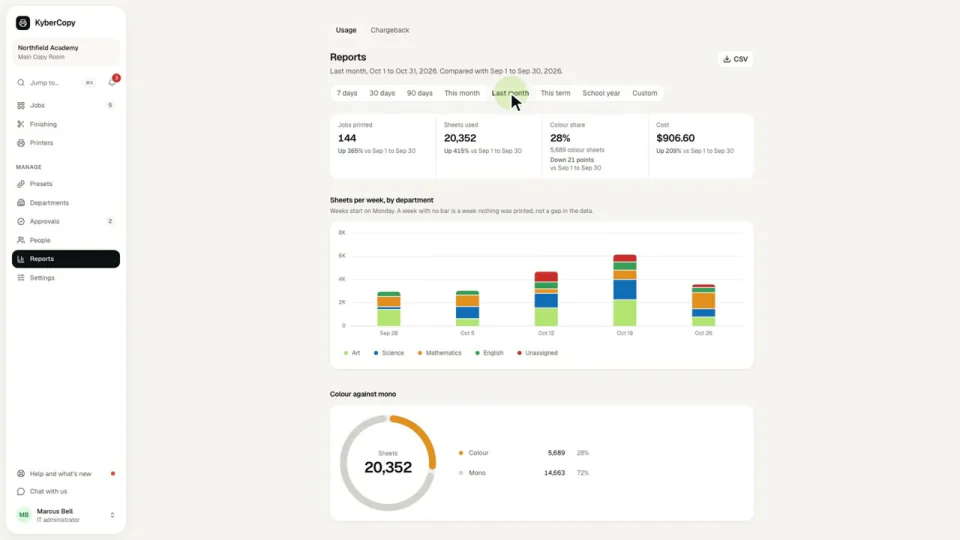 VideoUsage reports and chargebackPick a date range, see who prints what, bill it back and email it on a schedule.Narrated video · 2:05
- OverviewPrinting costs, department by departmentSee school printing costs by department from your own price list, set budgets with 80% and 100% alerts, and bill back with a CSV or a printable report.For the business office
- OverviewApprove the cost before it printsPrint approval for schools: big or costly requests wait for the department's budget holder, who sees the cost and what is left before saying yes.Approvals
- OverviewA copy budget for every departmentGive each department a copy budget for its own period, see spending against it as jobs print, and email the budget holder at 80% and 100%.Budgets
- ReferencePrinting terms glossaryDuplex, saddle stitch, IPP, port 9100, chargeback and more, in plain words.
- ReferenceCase studiesStories from schools using KyberCopy, published only with each school's approval, and how to talk with one.
- ReferenceKyberCopy and PaperCutWhich job each one does, the shared comparison rows, and the one row PaperCut has that KyberCopy does not.
- ReferenceChangelogWhat changed for teachers, the copy room, administrators and the business office.
Rather see it than read about it?
On the demo call we set up the demo school with your printers' names and walk through the guide you came here for, as a teacher, the copy room and the business office.
Book a demo